

If you've ever finished a long day at your desk feeling like your eyes are tired, dry, and achy, you're not alone. That collection of symptoms has a name: digital eye strain, also known as Computer Vision Syndrome (CVS).
This isn't one single issue, but a group of eye and vision-related problems that stem from staring at screens for hours on end—whether it's a computer, tablet, or your phone.
Why Do Our Eyes Struggle with Screens?
So, why are digital screens so tough on our eyes? It comes down to the extra effort they demand. Unlike crisp, static text on a printed page, the characters on a screen are often less sharply defined.
The contrast between the words and the background is usually lower, and you're also dealing with glare and reflections. This combination forces your eyes to work much harder just to stay focused, leading to that all-too-familiar feeling of fatigue and discomfort.
Common Symptoms to Watch For
The strain on your eyes can show up in several ways. You might notice just one of these symptoms, or a frustrating combination, especially after a long session in front of the screen:
- Tired, aching, or sore eyes
- A persistent feeling of dryness, itchiness, or even a burning sensation
- Vision that becomes blurry or you start seeing double
- Headaches, along with pain in your neck or shoulders
- Finding yourself more sensitive to light than usual
These symptoms tend to creep up and worsen throughout the day. While they’re typically temporary, they can seriously impact your comfort and how productive you feel. Simply recognising these signs is the first step toward getting some relief.
Digital eye strain isn’t about causing permanent damage. It’s more about temporary discomfort from overuse, much like muscle fatigue after a workout. Your eyes simply need a break and the right care to recover.
This is a widespread problem. A recent survey of UK office workers revealed that a staggering 65% experience symptoms of digital eye strain. The study also found that nearly half of all employees feel their job puts their eye health at risk, highlighting a major gap in workplace awareness. You can explore the full UK workplace eye health findings on workinmind.org.
This guide is designed to give you a clear path forward. By learning about the best eye care practices for every lifestyle, you can start building simple, effective habits into your daily routine. From simple ergonomic tweaks to specific eye care techniques, we’ll cover practical ways to keep eye strain at bay and improve your visual comfort for good.
Setting Up Your Digital Workspace for Comfort
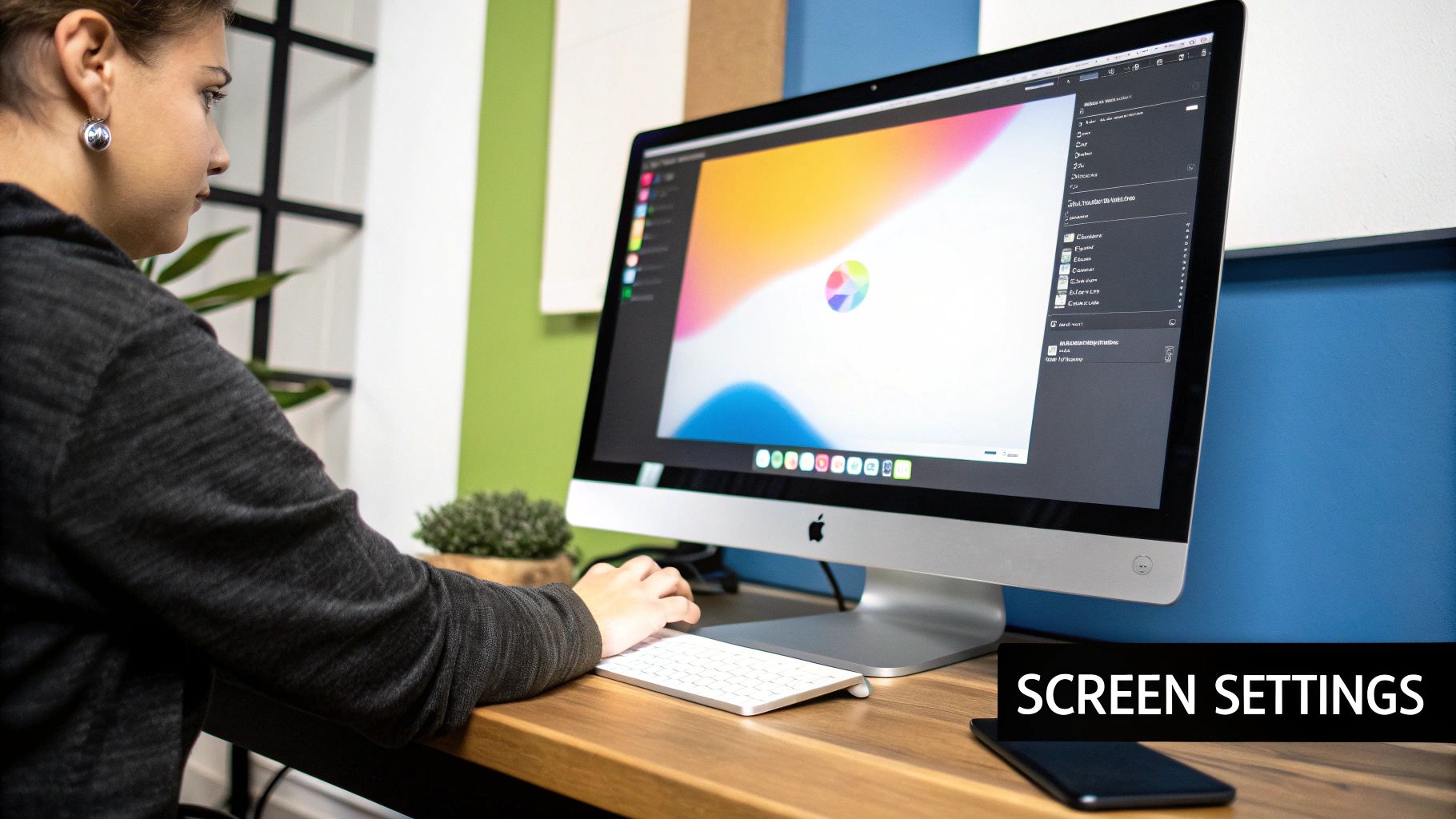
Think of your desk setup as the foundation for your daily visual comfort. If it’s not right, you’re forcing your eyes to work harder than they need to, which is a fast track to fatigue and that familiar gritty feeling. Creating an eye-friendly environment comes down to a few thoughtful tweaks to your monitor and screen settings.
The aim here is to cut down on the physical stress on your eyes and neck—the two are almost always linked. Making these small adjustments can genuinely change how you feel at the end of a long day. They’re a significant first step in learning how to prevent eye strain for good.
Positioning Your Monitor Correctly
Getting your monitor placement right is probably the quickest win you can get. The perfect position eases the load on both your eyes and neck muscles, and once it's set, you don't have to think about it again.
A great way to gauge the right distance is the arm's length rule. Just sit back in your chair as you normally would and stretch your arm out. The tips of your fingers should just about touch the surface of your screen. This distance, usually somewhere between 20-28 inches, lets you see everything without constantly moving your head.
As for height, the top edge of your monitor should be level with your eyes, or just a fraction below. Your eyes naturally prefer to look slightly downwards. If you find you're looking up, or hunching down, grab a monitor stand or even a sturdy stack of books to get it to the right height.
Adjusting Your Screen for Readability
With your monitor in the sweet spot, it's time to fine-tune what you’re actually looking at. Most screens come with factory-default settings that aren't designed for hours of focused work.
-
Brightness and Contrast: Your screen should never feel like it's the main light source in the room. A simple test is to open a blank white document. If it looks like a glowing lamp, it’s too bright. If it seems dull and grey, it’s too dark. Tweak the contrast until text looks crisp and is easy to read.
-
Text Size and Fonts: Are you leaning in or squinting to read? That's a clear sign to bump up the default text size. This is an easy change to make in your operating system or browser settings. Clean, simple fonts like Arial or Helvetica are also much kinder on the eyes than overly stylised or thin ones.
-
Colour Temperature: Warmer, yellowish tones are far more soothing than cool, blueish ones, especially as the day wears on. Most modern devices have a built-in "night light" or "night shift" mode that automatically adjusts the screen’s colour to a warmer tone after sunset. I highly recommend turning this on.
One of the biggest mistakes I see people make is working in a dark room with their screen turned up to full brightness. The extreme contrast forces your eye muscles to constantly adjust, which is exhausting. Always aim for balanced, even lighting across your entire workspace.
For a greater understanding of setting up your whole environment, resources on how to choose the right office lighting offer some excellent, practical advice. Getting your lighting right means it works with your screen settings, not against them. By managing both, you’re building a workspace that actively helps you fight off eye strain.
Put The 20-20-20 Rule into Practice
Beyond fiddling with your setup, one of the most powerful things you can do for your eyes is to give them regular, scheduled breaks. It’s easy to forget, but the tiny muscles inside your eyes get fatigued from holding focus on close-up tasks, just like your biceps would after holding a heavy bag of shopping. You have to give them a rest.
The best-known technique for this is the 20-20-20 rule. It’s incredibly simple and memorable, designed to relax those hard-working focusing muscles. The idea is that for every 20 minutes you're staring at a screen, you need to look at something at least 20 feet away for a full 20 seconds. This practical guide on how to reduce eye strain examines this and other brilliant strategies.
Think of it like this: when you look at your screen, your eye muscles are clenched. Shifting your gaze to a distant object is like letting go of a heavy weight. That brief 20-second interval is enough to let those ciliary muscles completely relax, providing almost instant relief.
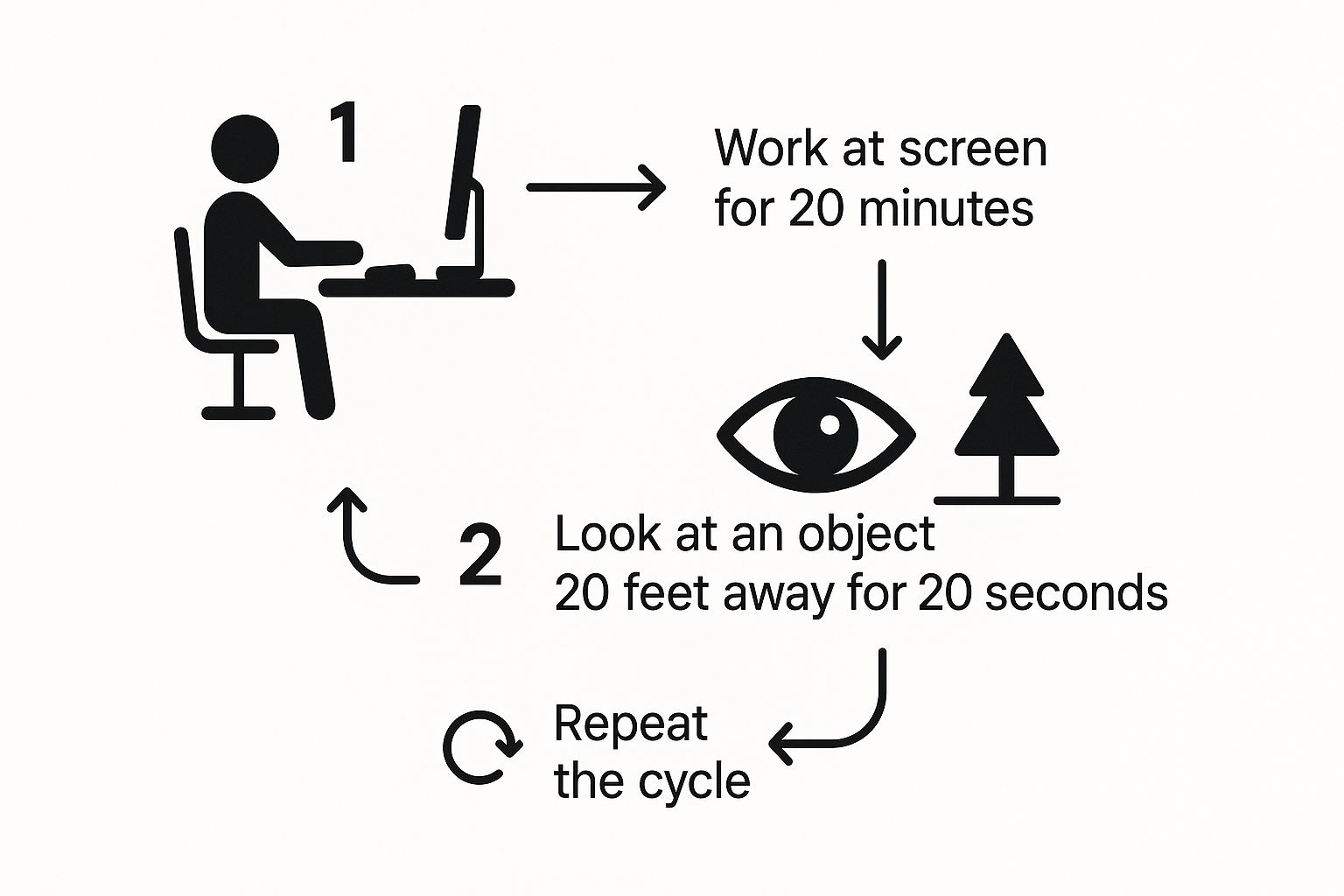
This simple, repeatable cycle is your best defence against the cumulative fatigue that builds up over a long workday.
Making Breaks Stick
Of course, the hardest part of the 20-20-20 rule isn't doing it—it's remembering to. When you're deep in concentration, 20 minutes can evaporate in what feels like seconds. The trick is to automate your reminders.
- Set a simple, recurring alarm on your phone or smartwatch.
- Use a browser extension or desktop app designed to gently remind you. Many will pop up a small notification or even briefly fade your screen.
Find a system that works for you without pulling you completely out of your workflow. A gentle nudge is all you need.
Try These Other Soothing Eye Exercises
While the 20-20-20 rule is king for relaxing your focus, a few other movements can bring welcome relief to tired, gritty-feeling eyes. You can do them right at your desk in just a minute or two.
Palming for a Moment of Calm: Vigorously rub your palms together to create warmth. Then, gently cup your hands over your closed eyes, making certain not to press on the eyeballs themselves. The combination of gentle heat and total darkness is incredibly soothing. Hold for 30-60 seconds and focus on your breathing.
Another great one is a focus-shifting drill. Hold a pen or your finger about 10 inches from your nose. Focus on it for a few seconds, then pick an object across the room and shift your focus to it. Go back and forth between near and far 10-15 times. This acts like a stretch for your eyes, improving their focusing flexibility.
Building these small habits into your daily routine is what makes the difference. It’s not about one big change, but the consistent, small actions that protect your visual comfort for the long haul.
The Importance of Proper Lighting and Glare Reduction
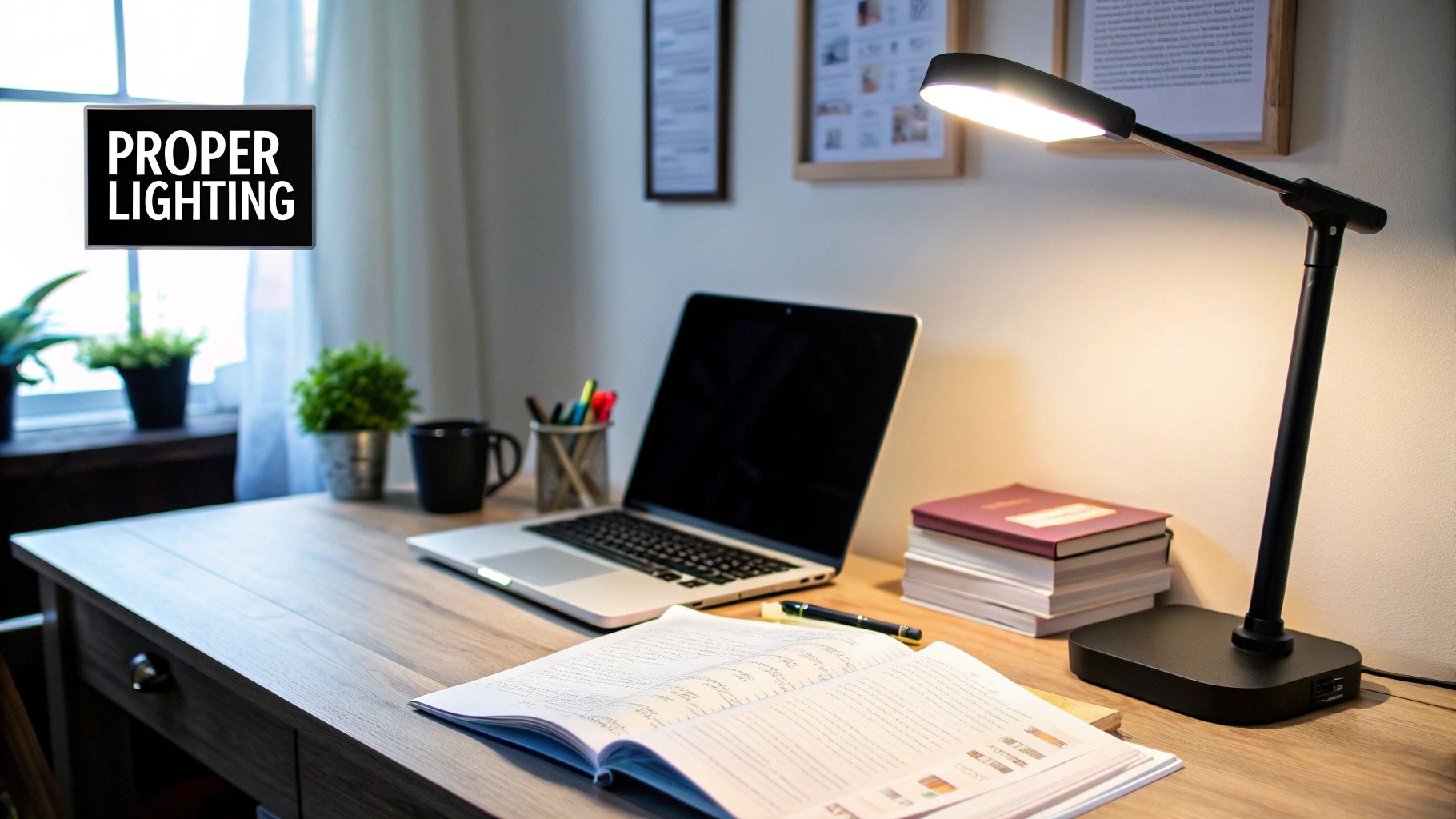
Beyond your screen settings and taking regular breaks, the light in your room plays a huge role in the fight against eye strain. If your workspace is too dim or, conversely, uncomfortably bright, your eyes are forced to work overtime just to see what’s in front of you. What you’re aiming for is balanced, even illumination that gets rid of harsh contrasts and distracting reflections.
Glare is one of the worst offenders here. It can come from a harsh overhead light or from sunlight blasting through a window, bouncing right off your screen and into your eyes. This creates a kind of visual noise that your eyes have to constantly battle, leading to some serious fatigue. Getting your environment right is a fundamental step in preventing eye strain.
Managing Your Ambient and Task Lighting
I like to think of workspace lighting in two distinct layers: the general light in the room (ambient) and the specific light on your desk (task). You need to get both right.
Your ambient lighting should ideally be soft and diffuse, never overpowering. If you’re lucky enough to have a window, try to position your desk so the window is to your side, rather than directly in front of you or behind you. This simple change stops direct sunlight from hitting your face or causing that awful reflection on your monitor.
To get a real handle on natural light, solutions like motorised skylight blinds can be a fantastic option, giving you precise control as the sun moves across the sky.
Next, consider your desk. A good task lamp is a brilliant investment. It shines light on your keyboard, documents, or any other physical items you're working with. This is especially useful if you find yourself constantly looking from papers back to your screen.
A small lamp placed at the side of your desk can dramatically reduce the stark contrast between a bright screen and a dark room. You’d be surprised what a difference this makes; your eyes no longer have to make such extreme adjustments every time you glance away from your monitor.
By getting this balance between ambient and task lighting right, you create a workspace that's much more visually comfortable. It’s a setup that supports your eyes instead of fighting against them.
Simple Fixes for Reducing Screen Glare
Even with well-thought-out lighting, you might still find reflections on your screen are a problem. Luckily, there are a few straightforward things you can do.
First, just check your monitor's position. Sometimes, a slight downward tilt is all it takes to angle those annoying reflections away from your eyes. It’s a quick fix that can have a big impact.
If tilting the screen doesn’t quite do the trick, an anti-glare screen protector is a fantastic and affordable option. These thin films stick directly to your screen and use a special matte finish to diffuse reflected light. The result? Text and images become much clearer and easier to look at.
These small, consistent efforts are what add up. When combined with other good habits, they form the foundation of the best eye care routines for every lifestyle.
When to Consider Computer Eyewear and Professional Advice

While sorting out your desk setup and taking regular screen breaks are fantastic first steps, sometimes they just don't cut it. If you’ve tried everything and still end your day with tired, aching eyes or a nagging headache, it might be time to look into eyewear made for screen time and get some professional advice.
It’s easy to overlook, but a common culprit for discomfort is simply an old or incorrect prescription. Our eyes change over the years, and if your glasses or contacts aren’t quite right anymore, your eyes have to work overtime just to focus. This extra effort alone can be a major cause of strain.
Understanding Computer Glasses
If you wear reading glasses, you’ll know they’re designed for looking at things up close, usually around 16 inches away. The problem is, your computer screen is in a different spot altogether—what we call the 'intermediate zone', typically 20 to 28 inches from your face.
Trying to use standard reading glasses for screen work often forces you into bad habits, like leaning in or tilting your head at an awkward angle. Before you know it, you’ve got neck and shoulder pain to go with your eye strain.
This is exactly what computer glasses are designed to fix. These are special prescription lenses calibrated for that intermediate screen distance. Your optometrist can create a pair tailored to your specific workstation, giving you a perfectly clear view of your monitor without the need to contort yourself. They might be single-vision lenses or even part of a more complex varifocal design.
A Clear Look at Blue Light Lenses
You’ve probably seen blue light filtering lenses advertised everywhere. The thinking is that they reduce the high-energy visible (HEV) light that screens emit. Many people who try them say their eyes feel more comfortable and less tired after a long day in front of a screen.
It's useful to remember, though, that the primary cause of digital eye strain isn't blue light itself. It's the way we use our devices—staring intently, blinking less often, and keeping our eye muscles constantly tensed. Blue light lenses might provide some welcome relief, but they aren't a magic bullet. They can't replace good habits like the 20-20-20 rule and proper lighting.
Your optometrist is the best person to advise you on whether computer glasses or specific lens coatings could benefit you. They can assess your individual needs and recommend a solution that truly addresses your symptoms.
Why Regular Eye Examinations Are Crucial
Booking in for a regular eye exam is one of the most important things you can do for your vision. An optometrist does so much more than just check your prescription; they perform a full health check on your eyes, spotting early signs of conditions that you might not even notice.
Ignoring eye health at work can have serious consequences. Recent NHS figures show over 57,000 emergency hospital admissions for workplace-related eye injuries, which includes the effects of long-term strain. You can find out more about this alarming trend in this report on workplace-related eye injuries from eyenews.uk.com.
Getting professional advice means you have the right prescription for everything you do. The lenses you need for eight hours of computer work can be very different from what you need for driving at night. For more on that, take a look at our guide on how to choose driving glasses. A good optometrist will help you find the perfect solution for every part of your life.
Common Questions About Digital Eye Strain
Even when you know the best practices, it’s natural to have a few lingering questions. Let’s tackle some of the most common concerns people have about managing their eye health in a screen-filled world.
Can Eye Strain Cause Permanent Damage to My Vision?
For the vast majority of people, the answer is no. Digital eye strain is almost always a temporary issue. The headaches, blurry vision, and dry eyes you feel are real, but they typically fade away once you step back from the screen and give your eyes a rest.
Constant strain can sometimes highlight an underlying problem you didn't know you had, like uncorrected astigmatism or a prescription that's out of date. Think of it as an early warning sign. While the strain itself won't cause lasting harm, it might be telling you it's time for a check-up.
Are Blue Light Glasses Really Worth It?
This is a hot topic, and the truth is, the jury is still out. Many people swear by blue light glasses, saying they feel a genuine reduction in eye fatigue and find it easier to wind down at night. The theory is that filtering out these specific light waves can ease some of the visual stress.
But it’s important to remember what causes digital eye strain in the first place: staring at a close-up object for hours on end, blinking less, and keeping your eye muscles tensed. Blue light glasses can't fix that. They might offer some comfort, but they’re not a magic bullet.
Your best defence against eye strain will always be a solid foundation of good habits. The 20-20-20 rule, a properly positioned monitor, and balanced lighting will deliver far more reliable results.
How Often Should I Get My Eyes Checked?
If you spend a good chunk of your day staring at a screen, a comprehensive eye examination every one to two years is a smart move. This holds true even if you don’t think you have any problems. An optometrist is trained to spot subtle changes in your vision long before you’d notice them yourself.
These regular visits are fundamental for keeping your prescription current and catching any potential health issues early. In fact, under UK Health and Safety regulations, if you're a regular user of display screen equipment (DSE), your employer is obligated to provide and pay for your eye tests. For a greater understanding, our guide explains why eye tests matter for crucial eye care.
What Other Lifestyle Habits Can Help?
Beyond the specific techniques we've covered, a few simple lifestyle adjustments can make a surprising difference.
- Stay Hydrated: Drinking enough water is key to healthy tear production, which is your body’s natural defence against dry, gritty eyes.
- Blink Consciously: It sounds silly, but we blink far less when we’re focused on a screen. Make a point of blinking fully and often to keep your eyes lubricated.
- Improve Your Air Quality: Dry air from central heating or air conditioning can make eye irritation worse. A small humidifier can add moisture back into your workspace.
- Prioritise Sleep: Never underestimate the power of a good night's sleep. This is when your eyes truly rest, repair, and replenish for the day ahead.
At Northern Optical Company, we provide personalised, professional advice to help you manage digital eye strain and maintain your long-term eye health. From comprehensive eye tests to specialist lenses, our team is here to support you. Find out more about our services at https://northernopticalcompany.com.