
If you have ever ended a long day staring at a computer only to find your eyes feel gritty, sore, and tired, you are not alone. That dull headache behind your eyes or the momentary blurriness when you look away from the screen? That’s likely Computer Vision Syndrome (CVS) in action, a condition now more commonly known as Digital Eye Strain.
What is Computer Vision Syndrome?
CVS is not one specific eye disease. Instead, it’s a catch-all term for a cluster of eye and vision-related issues that crop up after spending hours glued to digital screens—be it a computer, tablet, or smartphone.
The core of the problem is simple: our eyes interact with digital screens very differently than they do with a printed page. Reading a book is one thing; reading on a glowing display is another beast entirely.
Why Screens Are So Demanding on Our Eyes
Staring at a screen puts a much heavier workload on your eyes. There are a few key reasons for this:
- Pixelated Text: Unlike the sharp, solid ink on a page, the letters on a screen are made of tiny dots called pixels. This lack of clear definition means your eyes must work constantly to maintain focus.
- Reduced Contrast: The difference between the text and the background is often less distinct on a screen compared to a book, forcing your eyes to strain just to make out the words.
- Glare: Screens are notorious for reflecting overhead lights or sunlight. This glare creates a visual 'noise' that makes viewing uncomfortable and adds to eye fatigue.
A good way to think about it is to imagine your eye’s focusing muscles are like a camera lens trying to lock onto a shimmering mirage. They are constantly making tiny, rapid adjustments to keep the image sharp. After hours of this, just like any other muscle in your body, they get exhausted. That muscle fatigue is what triggers many of the classic CVS symptoms.
This is not some rare affliction; it is incredibly common. Research suggests that around seven out of ten people grapple with the symptoms of computer vision syndrome.
The condition does not affect everyone equally. Studies show a higher prevalence in women (71.4%) compared to men (61.8%). University students are particularly at risk, with rates soaring to 76.1%. Other factors, like wearing contact lenses or simply the sheer number of hours spent in front of a screen, can also bump up your risk. You can dig deeper into these statistics by exploring the full findings of studies on CVS prevalence.
To make this easier to digest, here is a quick summary of the key ideas.
Key Aspects of Computer Vision Syndrome
| Concept | Explanation |
|---|---|
| Definition | A collection of eye and vision problems caused by prolonged use of digital screens. |
| Primary Cause | The unique visual demands of screens (pixels, contrast, glare) force eye muscles to work harder. |
| Key Symptoms | Includes eyestrain, headaches, blurred vision, dry eyes, and neck/shoulder pain. |
| Prevalence | Extremely common, affecting an estimated 70% of regular screen users. |
Understanding these basics is the first step towards recognising the signs in yourself and taking simple, effective steps to find relief.
What Does Computer Vision Syndrome Feel Like?
If you have ever finished a long day in front of the computer and felt like your eyes are just… off, you have likely met computer vision syndrome. It is not one single thing, but a collection of signals your body sends when your eyes are being pushed too hard. Getting to know these symptoms is the first step to feeling better.
This image sums up the common complaints perfectly.
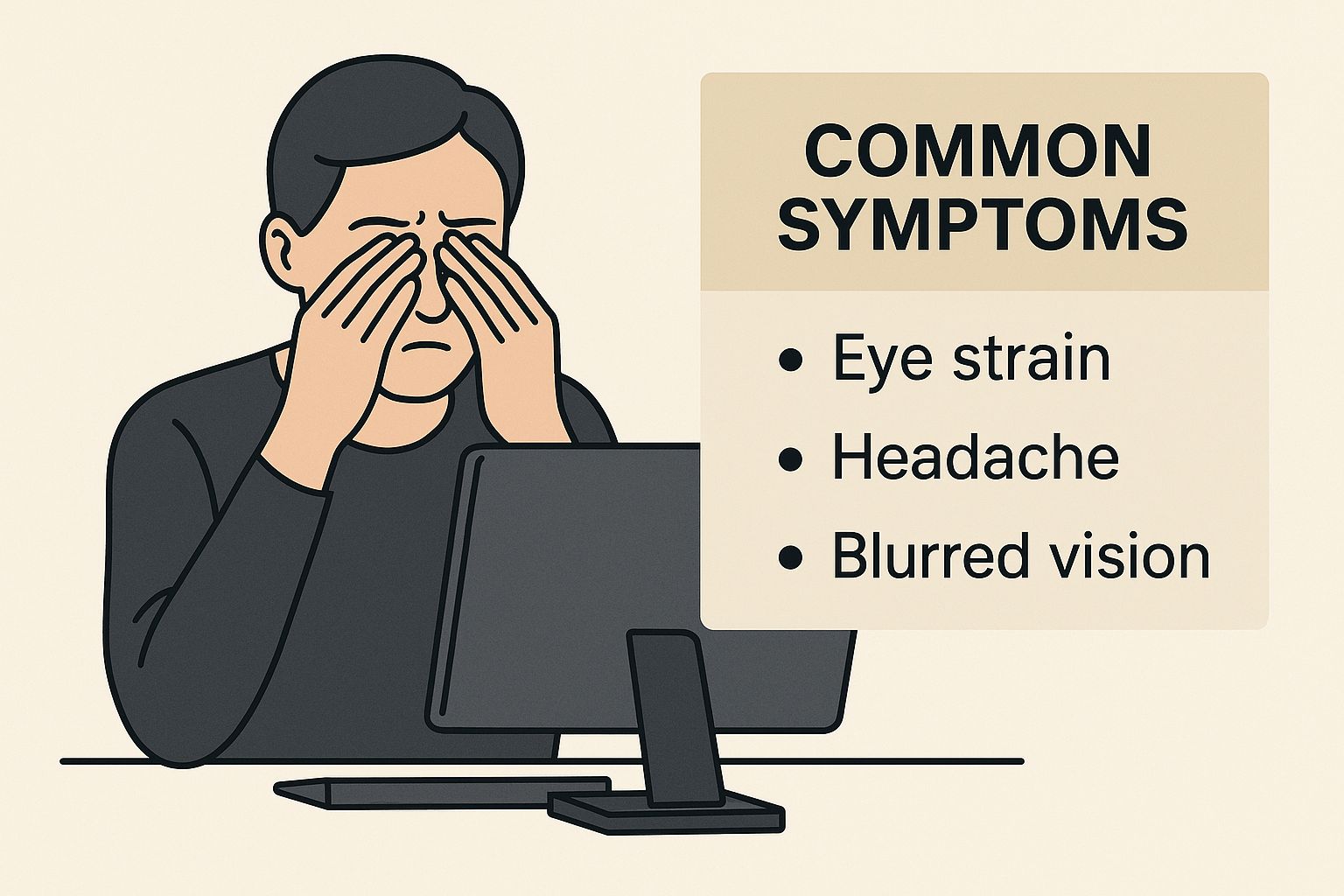
As you can see, the problem does not stop at your eyes. It can spread, causing trouble for your head, neck, and shoulders too.
Eyestrain and Fatigue
The most universal complaint is plain old eyestrain. It might feel like a dull, persistent ache behind your eyes, a noticeable heaviness in your eyelids, or just total exhaustion. This happens because the tiny ciliary muscles in your eyes are working non-stop to keep your focus sharp on the pixels of your screen.
Think of it like holding a weight at the gym. After hours of continuous effort without a break, those muscles get tired. It is the exact same principle for your eyes.
The Headaches Are Connected
Headaches are another classic calling card of computer vision syndrome. We are not talking about full-blown migraines here, but more often a nagging tension headache. You might feel it across your forehead, in your temples, or radiating from behind your eyes.
This pain is a direct consequence of eyestrain. When your eye muscles are overworked from staring intently, that strain creates tension that travels, resulting in a stubborn headache that will not quit.
Blurry or Shifting Vision
Ever looked up from your screen and realised the world is fuzzy for a few seconds? That’s your eyes’ focusing system struggling to readjust. After being locked into a close-up focal point for so long, the muscles find it difficult to relax and shift to look at things further away. For many, this is one of the most obvious computer vision syndrome symptoms.
This visual hiccup can even happen while you are still looking at your screen, making words appear to float or briefly lose their sharp edges.
Dry, Gritty, and Irritated Eyes
Here’s a strange fact: when you are absorbed in what is on a screen, you forget to blink. Studies have found that our blink rate can plummet by more than 50% when we are focused on a digital device. Blinking is crucial; it’s your body’s built-in windscreen wiper, cleaning the surface of your eye and spreading a fresh, lubricating layer of tears.
When you blink less, this protective tear film evaporates faster than your body can replace it. This leads to that all-too-familiar feeling of dry, gritty, and irritated eyes. They might burn, sting, or feel like there is a grain of sand stuck in them. Ironically, your eyes might even start watering as they desperately try to compensate for the dryness.
Neck and Shoulder Pain
It might seem odd to connect neck and shoulder pain to an eye condition, but it is a huge part of the syndrome. This pain is almost always a result of poor posture as you try to get a better view of your screen.
We all do it. Hunching forward, tilting our head up at a monitor that’s too high, or craning our neck down to look at a laptop. These awkward positions place a massive amount of strain on the muscles and vertebrae in your neck and upper back, leading to the stiffness and aches that so often go hand-in-hand with the other eye symptoms.
Why Do Digital Screens Cause These Symptoms?
It all comes down to the fundamental difference between looking at a screen and looking at a printed page. When you read a book, the letters are solid, high-contrast ink. Your eyes can focus on them easily and hold that focus.
Screens are a different beast entirely. The text and images you see are made up of tiny dots called pixels. This means the characters are not as sharply defined, forcing the focusing muscles inside your eyes to constantly make tiny readjustments to keep things clear. It is like trying to hold a perfect focus on an object that is always subtly shimmering.
After a few hours, those hard-working ciliary muscles get tired. This muscular fatigue is what’s behind that all-too-familiar feeling of eyestrain and the nagging headaches that often come with it.
The Problem with Glare and Contrast
The screen itself, along with your surroundings, plays a huge part in eye discomfort. Glare, whether from an overhead light or a bright window, can wash out your screen and create a kind of visual noise. You end up squinting and straining just to see what is in front of you, adding another layer of work for your eyes.
Poor contrast between the text and the background has a similar effect. If the letters do not stand out sharply, your eyes must struggle to distinguish them, which speeds up the onset of fatigue. A simple first step is often the most effective: try adjusting your screen’s brightness so it blends in more naturally with the light in your room.
One of the biggest culprits is that many of us have small, uncorrected vision problems. These might not be obvious in day-to-day life, but the intense visual demands of screen work can amplify them, causing significant discomfort. If this sounds familiar, discovering how to manage eye strain from computer screens can offer some much-needed relief.
Blue Light and Its Effects
You’ve probably heard about blue light. While the science is still out on whether it causes long-term eye damage, there is no doubt it can affect visual comfort. Many people report that filtering out blue light helps reduce that feeling of eye fatigue after a long day of screen time.
The more established issue with blue light, especially in the evening, is its impact on your sleep. It can mess with your body's production of melatonin, the hormone that tells you when it is time to wind down. This can disrupt your sleep-wake cycle, leaving you tired and less able to tolerate screen use the next day, and can even make dry eye symptoms worse.
How Your Environment Makes Things Worse
Your immediate surroundings can turn a minor issue into a major one. The placement of your desk, for example, matters more than you might think. Are you sitting directly under an air vent or next to a fan? That constant airflow can dry out your eyes by speeding up the evaporation of your natural tears.
This makes the problem of blinking less even worse, leading to more pronounced dryness, grittiness, and irritation. Poor lighting—whether too dim or too harsh—also forces your eyes to constantly adapt between a bright screen and darker surroundings, which just adds to the overall strain.
Who Is Most at Risk for Developing Computer Vision Syndrome?
While anyone who stares at a screen for long enough can feel the effects of computer vision syndrome, some of us are far more likely to develop it. Certain jobs and even our own health can dramatically raise the odds. Knowing where you stand is the first step to avoiding those tired, scratchy eyes.

It really comes down to a simple question: how much of your day is spent looking at a screen? If your job revolves around a digital display, you are at the front of the queue.
This is not just a small group of people. We are talking about:
- Office Workers and Administrators who are glued to their computers all day long.
- Students who now use laptops and tablets for everything from lectures to homework.
- Programmers and IT Specialists who often juggle multiple monitors for hours at a time.
- Graphic Designers and Video Editors whose work demands intense focus on intricate details on a screen.
If your work or studies keep you parked in front of a device for most of the day, your risk is naturally higher.
Pre-Existing Vision and Health Factors
What you bring to the table in terms of your personal health also plays a massive role. Some underlying conditions can make your eyes particularly vulnerable to the strain of screen use.
One of the biggest culprits? An uncorrected or under-corrected vision problem. A slight touch of astigmatism or farsightedness that you might not even notice in day-to-day life can force your eyes into overdrive when you’re trying to hold focus on a screen. Even wearing glasses with an outdated prescription can cause the same kind of strain.
A study of workers in the UK and Ireland found that a staggering 89.5% had experienced CVS symptoms at some point. The key risk factors they identified were being aged 35 or older, using a computer for six or more hours a day, and wearing corrective glasses. You can read the full research on workplace eye strain to see the detailed findings.
Age is another significant factor. As we get older, the lens inside our eye naturally becomes less flexible, making it much harder to focus on things up close. It is the reason so many of us end up needing reading glasses after turning 40. This loss of focusing power means that long sessions of screen time become far more demanding on our eyes.
Practical Ways to Prevent and Manage Symptoms
Taking back control from computer vision syndrome does not require a massive overhaul of your life. It is really about making small, consistent tweaks to your daily routine and workspace. When you tackle the root causes of the strain, you can massively reduce discomfort and give your eyes the protection they need. It all starts with setting up your environment properly and being a bit more mindful of how you interact with your screens.

The good news is that many of the most effective strategies are simple and can be put into action right away. These proactive adjustments are your first line of defence, helping to stop symptoms before they even start and making your screen time far more comfortable and productive.
Get Your Workstation Ergonomics Right
The way your desk is arranged has a surprisingly big effect on your eyes and the rest of your body. If your setup is off, you will naturally fall into awkward positions that lead straight to the neck and shoulder pain so many of us know all too well.
Start with your monitor. It should sit about an arm’s length away (that’s roughly 20-28 inches) from you. Just as important, the top of the screen should be slightly below your eye level. This encourages a slight downward gaze, which feels much more natural and puts less strain on your eyes over a long day.
Hunching over a screen for hours is a fast track to poor posture, which is a major culprit behind the neck, shoulder, and back pain that often go hand-in-hand with CVS. Getting your ergonomics sorted is critical, and if you are dealing with long-term postural habits, targeted therapies like massage for posture can offer some much-needed relief.
Make the 20-20-20 Rule a Habit
If there’s one trick to remember, it’s this one. The 20-20-20 rule is an incredibly powerful yet simple memory aid for giving your eyes the break they are crying out for.
Every 20 minutes, look away from your screen for 20 seconds and focus on something at least 20 feet away.
What this does is force the tiny focusing muscles inside your eyes to relax. They have been tensed up, holding focus on your nearby screen, and looking into the distance gives them a chance to reset. It’s a small action that makes a huge difference in preventing the fatigue that causes headaches and blurry vision.
Consciously Combat Dry Eyes
Did you know that when we stare intently at a screen, our blink rate can drop by more than 50%? Blinking is your body’s natural way of spreading a fresh layer of tears across your eyes to keep them moist and comfortable. Without it, things get dry and gritty fast.
To fight back, make a conscious effort to blink fully and often. It might feel strange at first, but it helps. You can also look at your surroundings—try not to sit directly in the line of an air conditioning vent or fan, as the moving air will dry your eyes out even faster. If you still feel that sandy, irritated sensation, a bottle of over-the-counter lubricating eye drops can be a real lifesaver.
Fine-Tune Your Display and Lighting
Your screen’s settings and the light in your room play a massive role in visual stress. A good rule of thumb is to adjust your screen’s brightness so it matches the light in your room; it shouldn’t feel like you’re staring into a lightbulb. Bumping up the text size and increasing the contrast can also make things much easier to read.
Take a moment to check for glare. Position your screen so you do not get reflections from windows or overhead lights. If you can’t move your desk, an anti-glare screen filter is a great investment. These simple adjustments mean your eyes do not have to strain so hard just to see clearly. If you have tried all this and the symptoms are still bothering you, it is wise to explore specific https://northernopticalcompany.com/2025/07/21/computer-vision-syndrome-treatment/ with an optometrist.
To make things even easier, here is a quick checklist you can use to audit your own setup and habits.
CVS Prevention Checklist
| Action Item | Recommended Practice | Why It Helps |
|---|---|---|
| Ergonomic Setup | Position monitor at arm's length, top of screen below eye level. | Reduces neck strain and encourages a natural eye angle. |
| The 20-20-20 Rule | Every 20 mins, look at something 20 ft away for 20 secs. | Relaxes the eye's focusing muscles to prevent fatigue. |
| Conscious Blinking | Make an effort to blink fully and more frequently. | Spreads tears across the eye surface, preventing dryness. |
| Screen Settings | Match screen brightness to room light; increase text size. | Reduces eye strain from squinting or overly bright light. |
| Glare Reduction | Position screen away from light sources or use an anti-glare filter. | Minimises reflections that force your eyes to work harder. |
| Hydration | Use lubricating eye drops if needed and stay hydrated. | Combats the dry, gritty feeling common with screen use. |
Following these steps consistently can turn a day of screen-related discomfort into one of comfortable, focused work. It’s about building better habits that support your long-term eye health.
When to See a Doctor for Eye Strain
Most of the time, you can tackle computer-related eye strain with a few simple lifestyle tweaks and a better desk setup. But sometimes, those self-help tricks just do not cut it. If your symptoms stick around, get worse, or genuinely start getting in the way of your work and life, that’s your cue to book in with an optometrist.
Ignoring persistent problems will not make them go away. It often leads to more discomfort and could be masking an underlying vision issue that needs proper attention. Your eyes are sending you a clear signal—it’s smart to listen.
Red Flags That Warrant an Eye Exam
A bit of eye fatigue after a long day is one thing, but some symptoms are red flags that point to something more serious than simple strain. It is time to make an appointment if you experience any of these:
- Chronic Headaches: We’re not talking about the odd tension headache. If you’re getting headaches daily or several times a week, especially after being on a screen, it is worth getting checked out.
- A Noticeable Change in Vision: This could be persistent blurry vision that does not go away even after a break, seeing double, or suddenly finding it much more difficult to focus.
- Severe Dry Eye: If over-the-counter lubricating drops aren’t providing any relief and your eyes constantly feel gritty, sore, or like they are burning, you might have a more significant dry eye condition that needs a professional treatment plan.
- Pain in or Around the Eyes: Sharp, stabbing, or a deep, aching pain is not a normal part of eye strain and needs to be investigated right away.
Think of it this way: your eyes might be quietly struggling with a small, uncorrected vision problem, like a bit of astigmatism or farsightedness. The intense focus required for screen work can magnify these minor issues, turning them into major sources of discomfort. An optometrist can pinpoint and correct the root cause.
What to Expect at an Eye Exam
When you go for an exam for digital eye strain, your optometrist will look beyond a standard prescription check. They’ll carry out a full assessment to see how your eyes work together and cope with the unique demands of looking at screens.
This comprehensive exam typically includes:
- Visual Acuity Tests: Measuring the sharpness of your vision at various distances.
- Refraction Testing: This is what determines the exact lens power you need for glasses or contact lenses.
- Focusing and Eye Teaming Tests: Evaluating how well your eyes can focus, track objects, and work as a coordinated team.
With this information, your optometrist can recommend solutions tailored to you, from special computer glasses to managing a more serious condition. For any sudden or severe problems, knowing when you might need emergency eye care in Newcastle is crucial.
Common Questions About Computer Vision Syndrome
You have questions, and that’s a good thing. Understanding the nuances of computer vision syndrome is the first step towards feeling better. Let’s tackle some of the most common queries we hear from patients.
How Long Does It Take for CVS Symptoms to Go Away?
The good news is that for most people, the relief is pretty quick. The nagging discomfort from digital eye strain usually starts to ease off within an hour of taking a proper break from your screen.
If you start making conscious changes—like adopting the 20-20-20 rule and sorting out your desk ergonomics—you should feel a real, lasting improvement within just a few days. If the symptoms stick around despite your best efforts, that’s your cue to book in with an optometrist.
Can Computer Vision Syndrome Cause Permanent Eye Damage?
This is a big worry for many, but thankfully, there is currently no solid evidence linking CVS to long-term eye diseases like cataracts or glaucoma. At its core, the condition is about muscle fatigue and irritation of the eye's surface, not permanent structural damage.
The real risk is not that screens will directly harm your eyes, but that the constant strain can unmask or worsen underlying vision problems you did not know you had. If you have a slight, uncorrected prescription, intense screen work can make it feel much more significant and could even contribute to advancing issues like myopia (nearsightedness) in children and young adults.
Are Special Computer Glasses Helpful?
Absolutely. For a lot of people, they can be a game-changer. These are not the same as off-the-shelf reading glasses. Computer glasses are prescribed for that intermediate distance between you and your monitor, typically 20-28 inches.
They are designed to correct for the small focusing errors that become a major source of strain over a long workday. Many also come with specialised coatings that cut down on screen glare and filter blue light, giving your eyes a much-needed break. An optometrist is the best person to assess whether they’re right for you. For more tips, have a look at our detailed guide on how to prevent eye strain.
If you’re struggling with persistent symptoms of computer vision syndrome or are curious about personalised solutions like computer glasses, the expert team at Northern Optical Company is here to help. We offer comprehensive eye tests in Newcastle to get to the bottom of your discomfort and provide practical advice to keep your eyes healthy. Book your appointment at https://northernopticalcompany.com and see what a difference professional, local eye care can make.