

If you've ever finished a long day in front of the computer with tired, aching eyes, a nagging headache, or vision that just won't focus, you're in good company. Finding effective computer vision syndrome treatment isn't about some complicated medical procedure; it's usually about making small, smart adjustments to your workspace and daily routine. Things like tweaking your screen setup, taking regular breaks, and using the right eyewear can make a world of difference.
So, What Exactly Is Digital Eye Strain?
Computer vision syndrome (CVS), or digital eye strain as it's more commonly known, is a collection of eye and vision problems that crop up after staring at screens for too long. Whether it's a computer, tablet, or phone, the effect is similar.
Think about reading a book. The letters are crisp and well-defined. On a screen, characters are made of pixels, which have softer edges. This subtle difference forces your eyes to constantly work harder just to maintain focus, leading to muscle fatigue over time.
Then there's the blinking issue. We all do it—when we're locked into what's on the screen, we blink far less often, sometimes cutting our normal rate by more than half. Blinking is your eyes' natural way of staying lubricated and clear. When you don't do it enough, you're left with that all-too-familiar dry, gritty, and irritated feeling.
Who Gets Hit the Hardest?
This isn't a rare condition; it's practically an epidemic in modern offices. A revealing study of workers across the UK and Ireland found that a staggering 89.5% reported symptoms of CVS. Of those, 34.4% felt the effects regularly. The research pinpointed that people aged 35 and over, along with anyone spending six or more hours a day on a computer, were most at risk. For a deep look into the numbers, you can read the full study on computer use and eye health.
The good news is that the symptoms are usually temporary and fade once you give your eyes a rest. The bad news? If you don't change your habits, they’ll just keep coming back, making work and life more difficult.
The first step to feeling better is simply recognising the signs. Be on the lookout for:
- Tired, sore, or heavy-feeling eyes
- Headaches, especially those that feel like they're starting behind your eyes
- Vision that seems blurry or doubled
- Eyes that are dry, red, or itchy
- Pain in your neck and shoulders, often from hunching over a screen
These problems are certainly a nuisance, but they are very manageable. If the discomfort just won't go away, it's wise to get a professional opinion. Understanding the role of an optician in vision care is a great starting point. An expert can evaluate your specific needs and suggest personalised solutions, which might include anything from prescription computer glasses to advanced eye drops.
Creating an Eye-Friendly Workspace
If you're looking for an effective computer vision syndrome treatment, your desk setup is the first place you should look. It's amazing what a few small, deliberate tweaks to your environment can do to reduce eye strain and make your workday genuinely more comfortable.

Let's start with your computer monitor's position. A good rule of thumb is to have it about an arm's length away from your face, which usually works out to be 20 to 28 inches. This distance gives your eyes a comfortable focal point without forcing them to work overtime.
Your posture and line of sight are just as crucial. The top edge of your monitor should sit either at or just slightly below your eye level. A classic mistake I see all the time is people working from a laptop placed flat on their desk. This forces you to crane your neck downwards, which is a recipe for both neck pain and eye strain. A simple laptop stand or even a sturdy stack of books can fix this instantly.
Managing Light and Glare
The lighting in your room plays a surprisingly big role. Harsh overhead lighting or direct sunlight streaming in can cause distracting glare and reflections on your screen, making your eyes work much harder than they need to.
A simple test: If your screen looks like a light source in the room, it’s probably too bright. If it seems dull and grey, it’s too dark. The goal is to match the screen's brightness to the ambient light around you.
Here are a few practical ways to get a handle on glare:
- Position your desk smartly: Try to place your monitor so any windows are to the side of it, rather than directly in front of or behind you.
- Use blinds or curtains: This gives you easy control over the natural light as the day goes on.
- Think about an anti-glare screen: These are filters you can place right over your monitor to help diffuse any harsh reflections.
For a really deep look into building a supportive workspace, you can find some fantastic tips for setting up an ergonomic home office.
Optimising Your Screen and Desk
Beyond physical placement, you can adjust your on-screen settings for better visual comfort. Bumping up the text size is an easy win to prevent squinting, and playing with the contrast can make words pop and become easier to read. Many people find that a warmer colour temperature (more yellowish tones) feels much more soothing than a cool, blue-ish one.
Don't forget about your chair and desk. Your chair should be adjusted so your feet can rest flat on the floor, keeping your wrists in a neutral, straight position as you type. If you're constantly looking back and forth between your screen and printed documents, a document holder placed next to your monitor is a game-changer. It dramatically cuts down on how often your eyes have to shift focus.
Making these ergonomic adjustments is a fundamental part of maintaining good eye health. To build on these habits, you might explore the best eye care practices for every lifestyle to protect your vision for the long term.
Smart Break Routines and Simple Eye Exercises
Even with the perfect desk setup, how you spend your time in front of the screen is a huge piece of the puzzle. If you're serious about treating computer vision syndrome, you need to be just as serious about taking regular, intentional breaks. It's the only way to give your overworked eye muscles the downtime they desperately need.
The gold standard for this—and something I recommend to almost everyone—is the 20-20-20 rule. It’s incredibly straightforward: every 20 minutes, you look at something 20 feet away for 20 seconds. That's it. This simple shift gives the focusing muscles inside your eyes a chance to relax from being clenched all day staring at something up close.
Of course, remembering to do it is the hard part. A simple timer on your phone works well, but there are also fantastic apps that offer strategies for smart break management to help you build the habit.
Simple Eye Exercises for At-Your-Desk Relief
Just looking away from your screen is great, but adding in a few targeted eye exercises can take your break-time routine to the next level. These are quick, discreet movements you can do right at your desk to combat focus fatigue and help your eyes rehydrate.
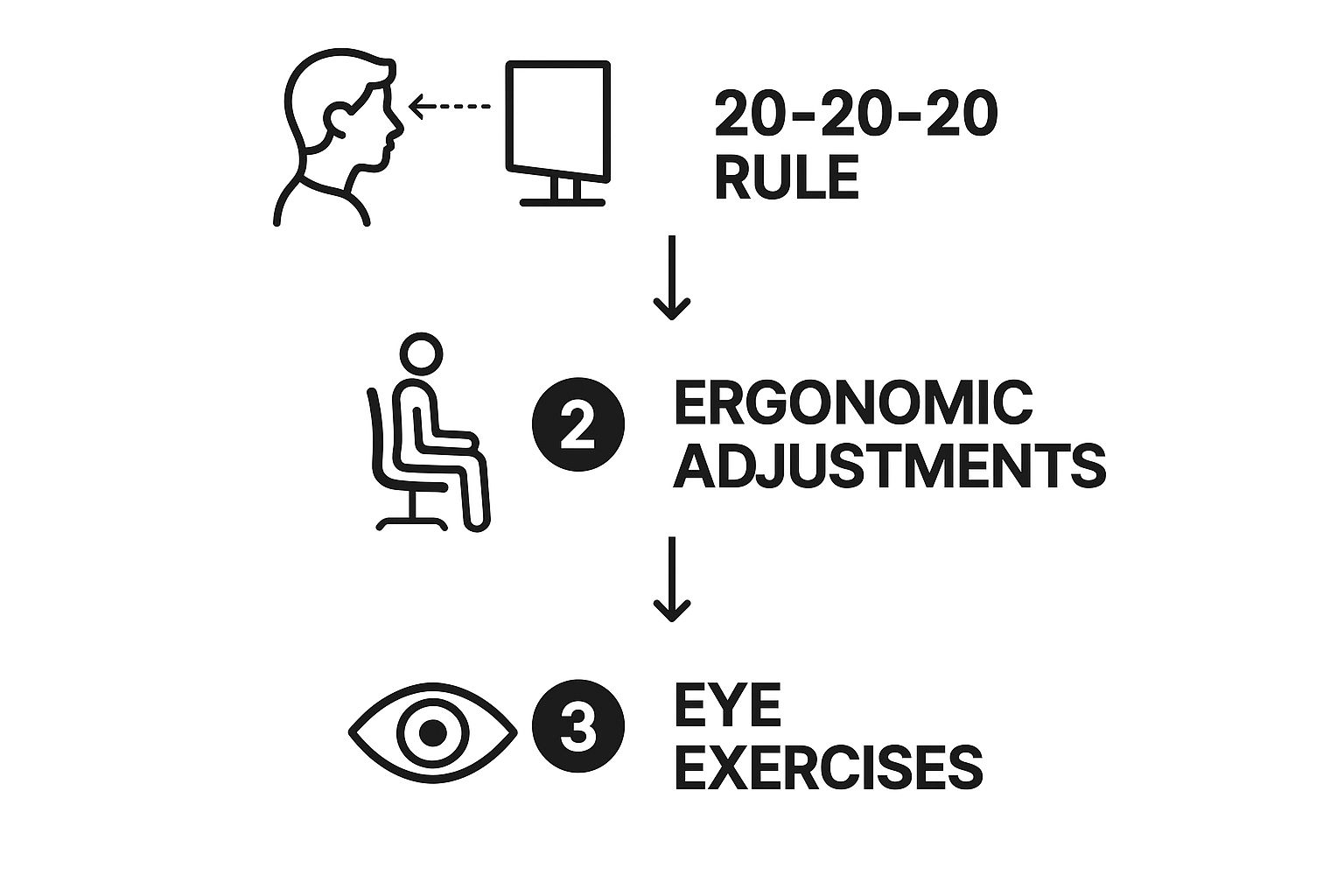
The image above really drives the point home: combining scheduled breaks with physical exercises creates a powerful, layered defence against digital eye strain.
To get you started, here is a quick reference table of simple exercises you can perform during your screen breaks. They are designed to relieve eye muscle fatigue and that annoying dry feeling.
Simple Eye Exercises for Daily Relief
| Exercise | How to Perform | Benefit |
|---|---|---|
| Palming | Briskly rub your hands together to generate warmth. Gently place your warm palms over your closed eyes without pressing on them. Breathe deeply for 30–60 seconds. | The warmth and darkness help the muscles around your eyes relax, reducing fatigue. |
| Focus Shifting | Hold a finger a few inches from your nose and focus on it. Slowly move the finger away, holding your focus. Shift your gaze to a distant object, then back to your finger. | Trains your eye's focusing flexibility and prevents the muscles from getting "stuck" in one position. |
| Figure-Eights | Imagine a large figure-eight on its side about 10 feet away. Trace its shape with your eyes without moving your head for 30 seconds, then reverse direction. | Improves eye muscle mobility and coordination, reducing stiffness. |
These little movements can make a world of difference in your daily comfort and focus. They're an easy way to feel better right now.
Don't forget that blinking is an exercise in itself! Our blink rate can drop by more than 50% when we're focused on a screen. Making a conscious effort to blink fully and often keeps your eyes lubricated and helps clear away debris, which is key to fighting that gritty, dry sensation.
These exercises are brilliant for day-to-day management, but they aren't a substitute for professional care. For a deeper look into building a preventative routine, our guide on how to prevent eye strain has even more techniques you can use. Integrating these small habits really does add up to a significant improvement in how your eyes feel.
The Role of Eyewear and Screen Accessories
Sorting out your workspace and daily habits is the cornerstone of a solid computer vision syndrome treatment plan, but sometimes it just isn't enough. For those persistent symptoms, it's time to look at specialised eyewear and screen accessories, which offer a more direct way to tackle visual discomfort.

The glasses you rely on for reading a book or driving your car often aren't cut out for computer work. Think about it: your screen is in an intermediate zone, neither truly near nor far. Sticking with standard prescription lenses can force your eyes to constantly refocus and strain to keep the monitor clear, which is a fast track to fatigue.
Finding the Right Lenses for Screen Use
This is where computer glasses come into their own. They are crafted to optimise your vision for that intermediate distance, typically the 20 to 28 inches between you and your screen. By having a lens with the correct focal point, your eye muscles don't have to work overtime just to stay focused, which can make a world of difference during a long day.
But it’s not just about the prescription. Lens coatings can add a powerful, extra layer of protection.
- Anti-reflective coating is something I recommend to almost anyone who works indoors. It does a brilliant job of cutting down on glare and those annoying reflections from office lights or windows. Less visual noise means your eyes can relax.
- Blue light filtering lenses aim to reduce the amount of high-energy blue light that digital screens emit. While the science is still developing on just how much they alleviate eye strain, many people find them more comfortable and even report they sleep better after using them.
It's crucial to understand the difference between cheap glasses bought online and a pair from a qualified optician. Those "blue light blockers" you see everywhere are a one-size-fits-all product. Proper prescription computer spectacles are measured and made just for you, considering your exact vision needs and even the way they sit on your face. This tailored approach provides far superior accuracy and comfort.
Beyond Glasses: Physical Screen Filters
If you’d rather not wear glasses at your desk or you just want to double down on protection, physical screen accessories are a fantastic alternative. These are transparent filters that you place directly over your monitor.
They typically tackle two main issues:
- Glare Reduction: A good anti-glare screen with a matte finish can diffuse harsh lighting, making your display much easier to look at, especially in a brightly lit room.
- Blue Light Filtering: Just like coated lenses, many modern screen protectors have blue light filtering technology built right in, giving you the same benefit without needing any eyewear.
This strategy is helpful in a shared office where you have zero control over the overhead lighting. It puts you back in charge of your immediate visual space.
The best combination of glasses and accessories really comes down to your personal symptoms and work environment. An anti-reflective coating is a no-brainer for most office workers. Deciding whether you need dedicated computer lenses or might get by with a screen filter is a conversation you should have with an optician. They can properly assess your eyes and the unique demands of your job, helping you choose the right tools for your computer vision syndrome treatment.
When to Talk to an Eye Care Professional
All the self-care tips in the world are fantastic first steps, but sometimes they just don't cut it. If you’ve tried adjusting your workstation, taking regular breaks, and using eye drops, but the headaches, blurriness, or dryness just won’t quit, it’s a clear sign you need to see a professional.
Think of it this way: if your symptoms are getting worse or simply not improving, it's time to book in with an optometrist. Don't ignore persistent headaches, seeing double, or a noticeable drop in how clearly you can see. These aren't just signs of tired eyes; they could point to an underlying problem that needs an expert diagnosis.

The scale of this issue is massive. Research shows that the overall prevalence of CVS hit about 68.16% among people who spend a lot of time online. One study even found that people on their phones or tablets for over 12 hours straight had an almost ninefold increased risk of developing symptoms. You can discover more about the link between device use and CVS in the full study.
What to Expect During a Focused Eye Exam
An eye test for computer use is a bit different from your standard check-up. Your optometrist will dig deeper, running specific tests to see how your eyes cope with the unique demands of screen work. The focus shifts from just reading a letter chart to assessing how your eye muscles function and work together.
You can expect the exam to include:
- Visual Acuity Measurement: This is about checking the sharpness of your vision, but with special attention paid to that intermediate distance—right where your computer screen usually sits.
- Refraction Testing: This is where they pinpoint your exact prescription, looking for any subtle astigmatism or focusing errors that could be causing strain.
- Focus and Eye Teaming Tests: Your optometrist will evaluate how well your eyes can hold focus and coordinate as a team, which is crucial for comfortable screen viewing.
It helps to understand why eye tests matter for crucial eye care, as these exams are designed to get to the very root of your discomfort.
Professional Treatments Your Optometrist Might Suggest
After a thorough exam, your optometrist can recommend solutions that are designed for you. These go far beyond the general advice you find online and target the exact issues uncovered during your tests.
A common misconception is that if you can see clearly, your eyes are fine. An eye exam for CVS looks deeper, assessing the muscular effort and coordination required for screen work, which is often where the real problem lies.
Based on what they find, your optometrist might suggest:
- Personalised Lens Prescriptions: You might need glasses specifically for your computer. These aren't just any glasses; the lens power is perfectly optimised for the distance between your eyes and your screen.
- Vision Therapy: Think of this as physiotherapy for your eyes. It's a structured programme of visual exercises designed to retrain and strengthen your eye coordination and focusing skills.
- Medicated Eye Drops: If your dry eyes are severe and over-the-counter drops aren't helping, your optometrist can prescribe stronger, more effective formulations to give you real relief.
Booking that appointment is a proactive step. When your own efforts aren’t enough, an expert can provide the targeted support you need for lasting comfort.
Your Questions About Computer Eye Strain, Answered
Even when you know the basics, it's natural to have questions about dealing with digital eye strain. Getting to the bottom of these common queries can make all the difference in how you manage your symptoms day-to-day. Let’s tackle some of the most frequent ones I hear from patients.
Can Computer Vision Syndrome Cause Permanent Eye Damage?
This is probably the biggest worry people have, and thankfully, the answer is no. Based on current scientific understanding, the strain from our screens doesn't lead to permanent, physical damage to your eyes.
That said, the symptoms—the headaches, blurred vision, and gritty, dry eyes—are very real. If you ignore them, you're setting yourself up for chronic discomfort that can seriously impact your work and quality of life. A consistent computer vision syndrome treatment plan is your best defence for keeping your eyes comfortable in the long run.
How Long Does It Take for Treatment to Work?
The honest answer? It varies. Some people tell me they feel a noticeable difference within a few days, especially after sorting out their desk setup and getting serious about the 20-20-20 rule.
For others, particularly if the symptoms are more severe or if you need specialised computer glasses, it might take a couple of weeks to feel the full benefit. The key ingredient is consistency. Sticking with the changes is what brings lasting relief.
Are Blue Light Blocking Glasses an Effective Treatment?
Blue light glasses can be a helpful part of a broader strategy. They are designed to reduce screen glare and can make things look a bit sharper, and many people do report less strain when wearing them.
It's crucial to realise they aren't a silver bullet. The main culprits behind digital eye strain are the constant focusing effort, the fact we forget to blink, and poor workstation ergonomics. Think of blue light glasses as a supporting tool, not the entire solution.
Do I Need Special Eye Drops for Computer-Related Dry Eyes?
For most people, standard over-the-counter artificial tears do the job just fine for relieving that dry, scratchy feeling. If you find you’re reaching for them more than a few times a day, I'd suggest looking for a preservative-free formula. They’re much gentler for frequent, long-term use.
But if regular drops aren't cutting it and your eyes still feel persistently dry or sore, it’s time to see an optometrist. We can properly assess your tear film and might recommend prescription drops or other treatments to give you the relief you need. A proper eye exam is the only way to know for sure.
At Northern Optical Company, we provide comprehensive eye examinations to get to the root cause of your digital eye strain and create a personalised computer vision syndrome treatment plan. Book your eye test with our expert team in Newcastle today.